
Introduction
Vue.js is a robust and versatile JavaScript framework that provides a seamless development experience.
But when applications get sophisticated, performance becomes an issue. Deep component trees, bad event handling, too aggressive reactivity, and too many re-renders can make your Vue app slow down, which compromises the user experience.
To attain maximum performance, developers need to optimize their Vue applications using best practices like lazy loading, computed properties, virtual scrolling, and state management optimizations.
In this article, we’ll explore essential techniques to optimize Vue applications, including:
- Optimizing Vue Components
- Using Computed Properties Effectively
- Lazy Loading and Code Splitting
- Minimizing Re-renders using key and v-if
- Efficient Event Handling
- Virtualizing Large Lists
- Optimizing Vuex or Pinia State Management
1. Optimizing Vue Components
Deep and large nested components make your application slow. Obey these best practices:
Use functional components for stateless UI components
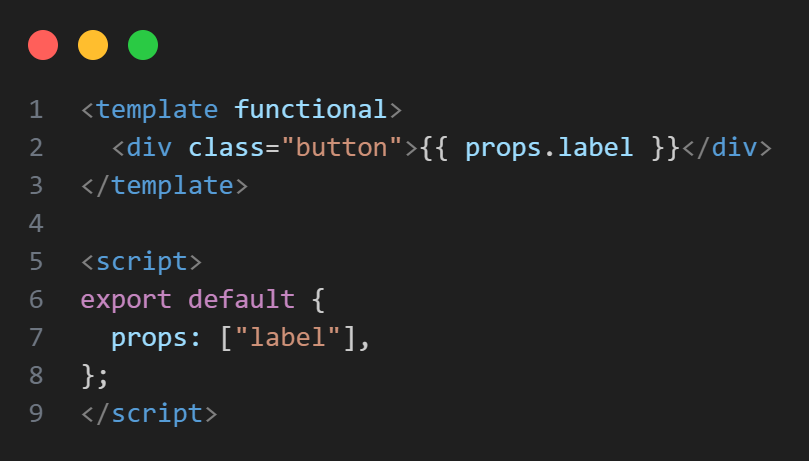
Functional components are light because they don't contain internal condition or life cycle hooks.
Why? They render quickly because Vue skips unnecessary life cycle.
2. Using Computed Properties Effectively
Vue recalculates computed properties only when their dependencies change.
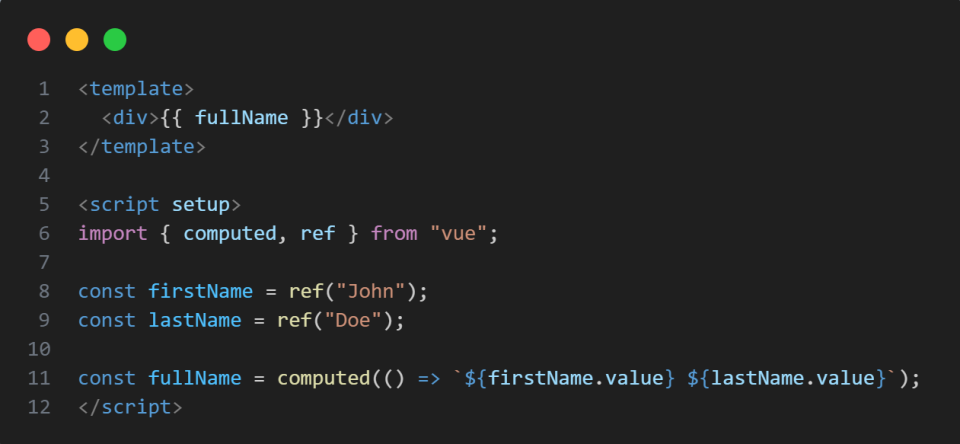
Why? Computed properties are more efficient than methods, which will run on every render.
3. Lazy Loading and Code Splitting
It slows down the initial page load to load all components. Load components only when required using dynamic imports.
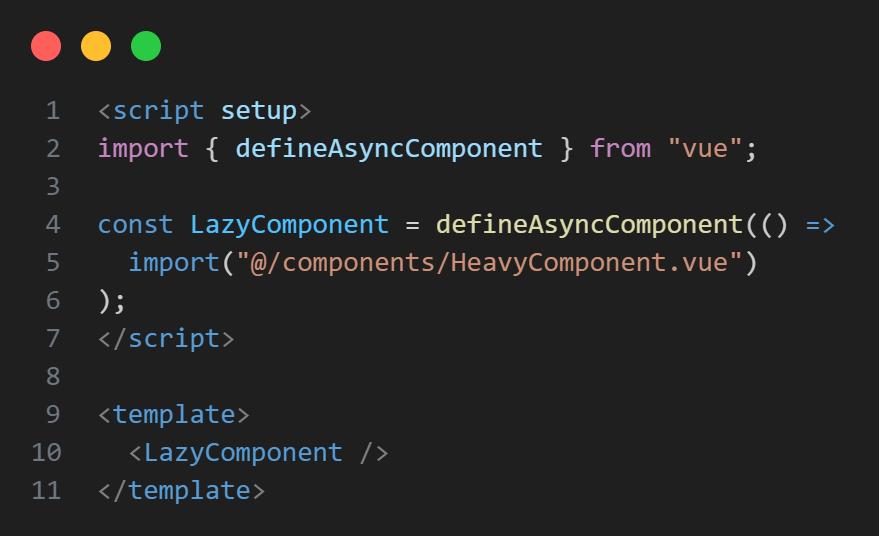
Why? It saves initial load time and makes it faster.
4. Minimizing Re-renders using key and v-if
Vue employs a virtual DOM for optimizing the rendering. Still, v-for and v-if are misused, which results in unwanted re-renders.
Use key in v-for Loops:

Why? Allows Vue to monitor changes effectively rather than re-rendering the whole list.
Don't use v-if with v-for Together:

Why? Prevents filtering within the loop, which speeds up rendering.
5. Efficient Event Handling
Vue adds and removes event listeners automatically, but too many listeners lead to memory leaks.
Use Event Delegation for Lists:

Why? Minimizes the number of event listeners by delegating them to a parent node.
6. Virtualizing Large Lists
Rendering thousands of DOM elements simultaneously can be slow. Use Vue Virtual Scroller to render only visible items.
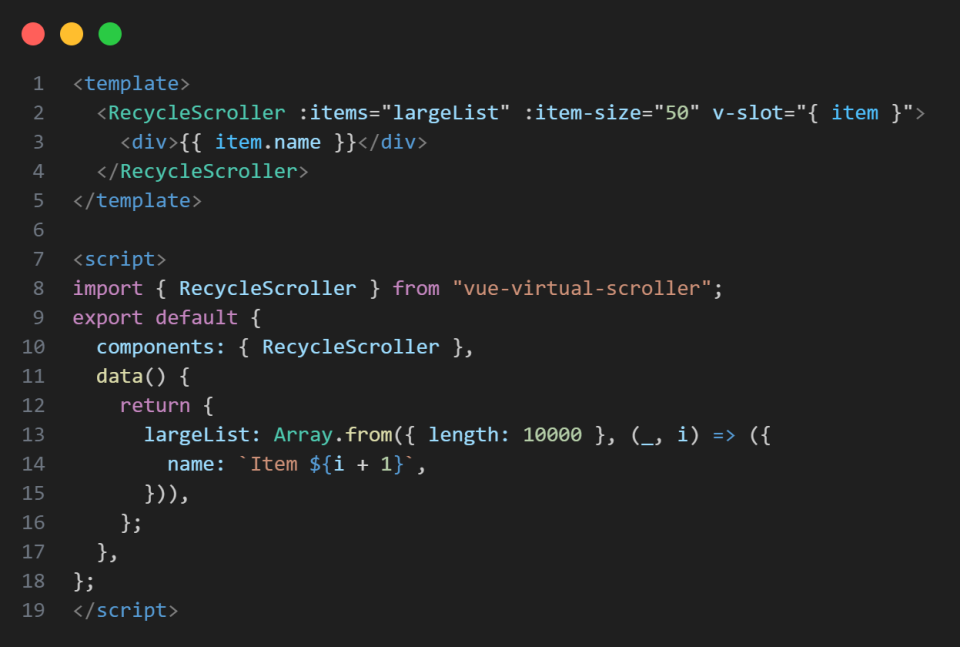
Why? Enhances rendering performance for big lists by keeping only visible items in the DOM.
7. Optimizing Vuex or Pinia State Management
If your app uses Vuex or Pinia, optimize state updates efficiently.
Avoid Deep Mutations in Vuex:
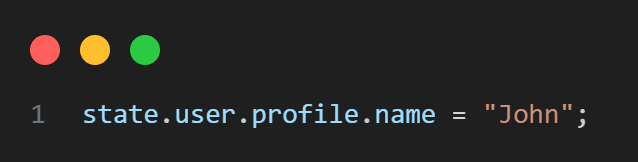
Why? Vue's reactivity system does not catch deep mutations effectively.
Conclusion
The improved vue.JS applications introduce better performance, rapid rendering and user experience. The best practices such as the functional components and utilization of computed properties can be utilized wisely to minimize unnecessary renders and efficiency, and everything becomes optimized. Proper utilization of lazy loading and dynamic imports postpones the load time at first, while virtual scrolling optimizes rendering of large lists. The optimal state management with Vuex or Pinia avoids the performance barrier and bundle form adjustment by tree shaking and CDNs all together. Vue apps can be lightning fast, scalable, and sustainable with these methods, providing a natural feel to the users.