
Introduction
Vue 3 introduced significant changes to how we configure global properties in our applications.
The app.config.globalProperties API replaces Vue 2's Vue.prototype approach, providing a more modular and type-safe way to add global properties accessible throughout your application.
In this article, we'll explore what app.config.globalProperties is, how to define global properties, how to access them in templates and the Composition API, and when you should or shouldn't use them in a Vue 3 application.
What is app.config.globalProperties?
app.config.globalProperties is an object that allows you to add properties that can be accessed in any component instance within your Vue 3 application. This is particularly useful for adding global utilities, constants, or third-party library integrations.
This is useful for:
✅ Common string/date formatting
✅ Global constants, such as base URLs
✅ Lightweight helper functions
✅ Global access to libraries, such as Axios
Step 1: Define a Global Property in main.js
The first step is to define a global property using app.config.globalProperties. In the example below, we create a global helper function called $greet().
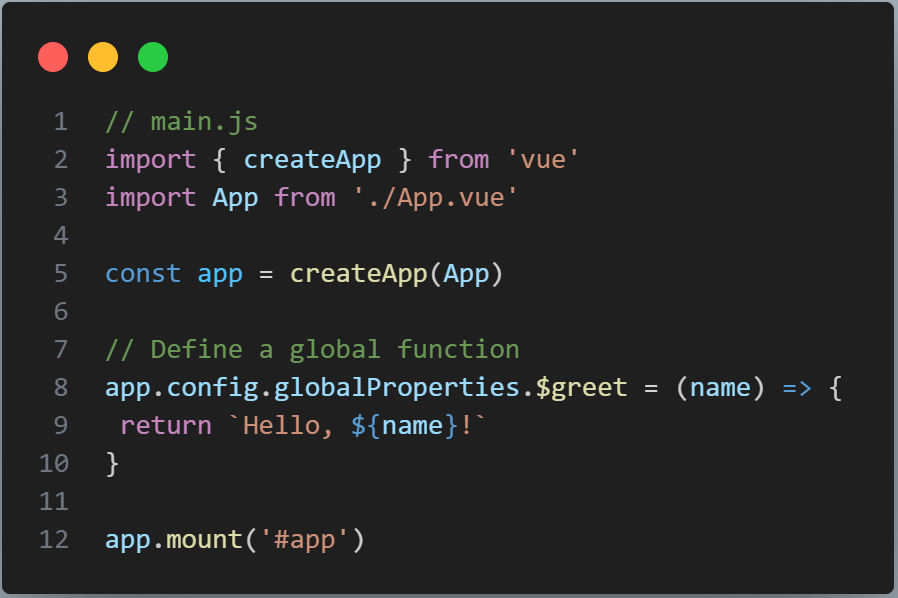
import { createApp } from 'vue';
import App from './App.vue';const app = createApp(App);
app.config.globalProperties.$greet = (name) => {
return `Hello, ${name}!`;
};app.mount('#app');
Now $greet() can be used anywhere in the application where the component instance has access to global properties.
Step 2: Use in Composition API (Template Only)
Global properties can be accessed directly inside the component template. You don't need to import or define the property again in every component.
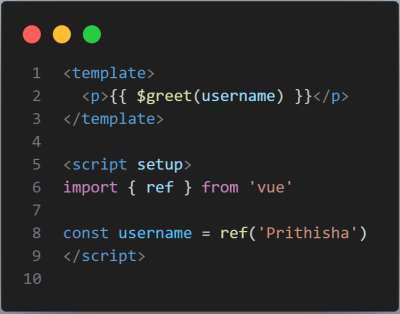
<template>
<h2>{{ $greet('John') }}</h2>
</template>
The global property is available directly in the template through $greet().
✔ Works directly in templates
❌ Cannot directly use $greet() in <script setup>
Step 3: Access Inside <script setup> Using getCurrentInstance()
When you need to access a global property inside the component's script logic, you can use Vue's getCurrentInstance() API.
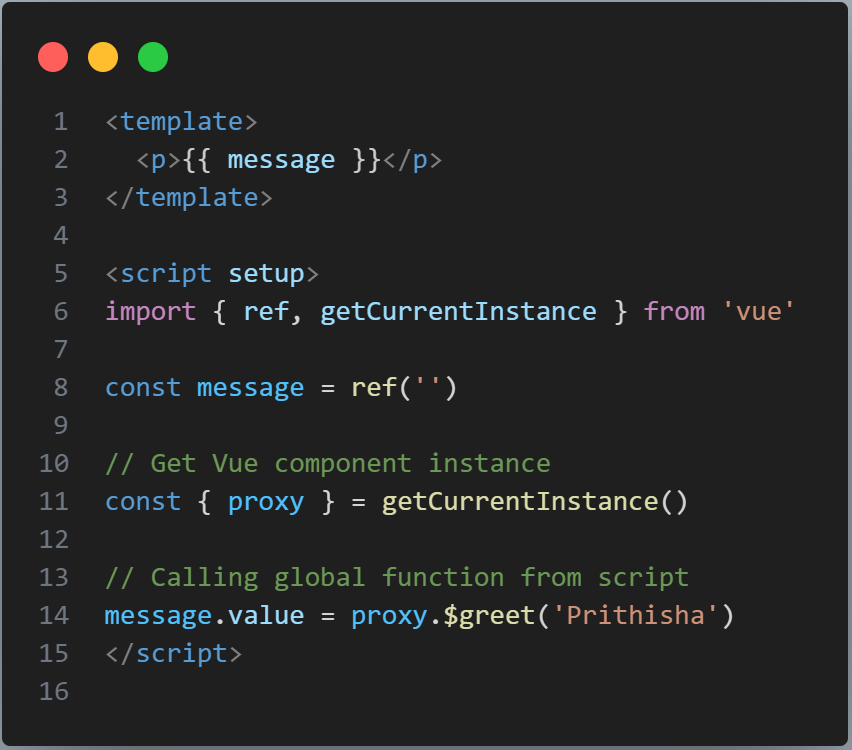
<script setup>
import { getCurrentInstance } from 'vue';const instance = getCurrentInstance();
const proxy = instance?.proxy;const message = proxy?.$greet('John');
console.log(message);
Now $greet() is accessible inside the Composition API logic.
💡 proxy gives us access to properties available on the component instance, similar to what this provided in the Options API.
When Should You Use globalProperties?
globalProperties is useful for small, reusable utilities that need to be available throughout the application. However, it should not become a replacement for proper state management or composables.
| Good Use Cases ✅ | Avoid ❌ |
|---|---|
Formatting helpers such as $formatDate() |
Business logic — use composables instead |
Static values such as $roleAdmin = 1 |
Large shared data — use Pinia/Vuex |
| Small UI utilities | Authentication data or secrets |
Key Takeaways
| Feature | Supported? |
|---|---|
| Use in Template directly | ✅ Yes |
| Use inside Options API | ✅ this.$greet() |
| Use inside Composition API | ✅ With getCurrentInstance() |
| Share sensitive data | ❌ Never |
Best Practices
Use the $ Prefix Convention
Always prefix your global properties with $ to distinguish them from component data and reduce the possibility of naming conflicts.
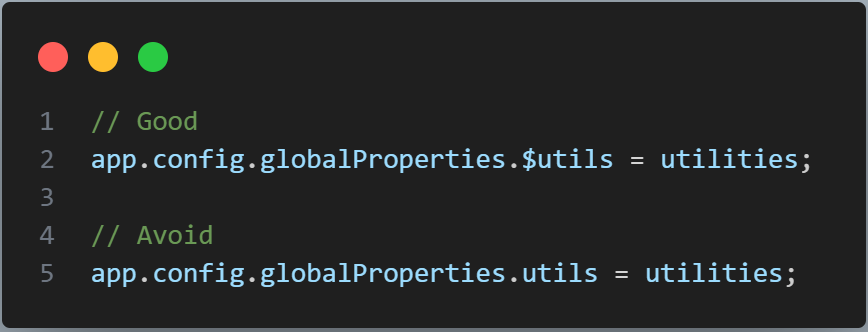
app.config.globalProperties.$formatDate = (date) => {
// Formatting logic
return new Date(date).toLocaleDateString();
};
Using the $ prefix makes it clear that $formatDate is a global property rather than a local component property.
Common Pitfalls
Accessing Before Mount
Global properties are available through the application instance after they have been configured. Make sure the property is defined before attempting to access it from components.
Avoid relying on global properties during plugin installation or before the application instance has been properly configured.
Conclusion
app.config.globalProperties is a powerful and simple way to share small, reusable functions and values across your Vue 3 application. It provides a convenient replacement for Vue 2's Vue.prototype approach and works especially well for lightweight utilities, constants, and library integrations.
When combined with the Composition API and getCurrentInstance(), it becomes flexible and highly useful. However, global properties should be used wisely and minimally. For complex business logic, shared application state, or larger reusable functionality, composables and dedicated state-management solutions are usually a better choice.